
For contractors · NEC4 Term Service Contract
The contract is signed. Now it has to make money.
A guide and two working tools for the administration that decides whether a term contract earns what you priced — or quietly does not.
Why this exists
Whether an NEC4 term contract makes money has almost nothing to do with how well it was priced and almost everything to do with how it is run from the day the starting date passes.
Only one of the ways margin leaks out of a term contract is a pricing problem. The rest are administrative, they are all preventable, and they all come down to a date nobody was tracking:
- You absorbed an instruction you should have notified.
- You notified late, and the eight weeks had already run.
- You let their clock run instead of notifying the failure to reply.
- You kept no records, so none of the above can be proved.
An early warning costs you an email. Not giving one costs you the difference.
None of it is adversarial. It is the contract both parties signed, administered as written.
What you get
Prices exclude VAT. Everything is delivered by email the moment payment clears — the tools are single files that run in your browser, with nothing to install and no account to create.
Founding price. The first 10 buyers get both tools together for £129 + VAT — enter FOUNDING10 at checkout. In return, we ask for one honest line about it once you have used it.
NEC4 Contract Admin Toolkit
£129 + VAT
The guide and the control dashboard, for contractors administering a Term Service Contract.
- The guide: first fortnight, early warnings, compensation events, payment and records
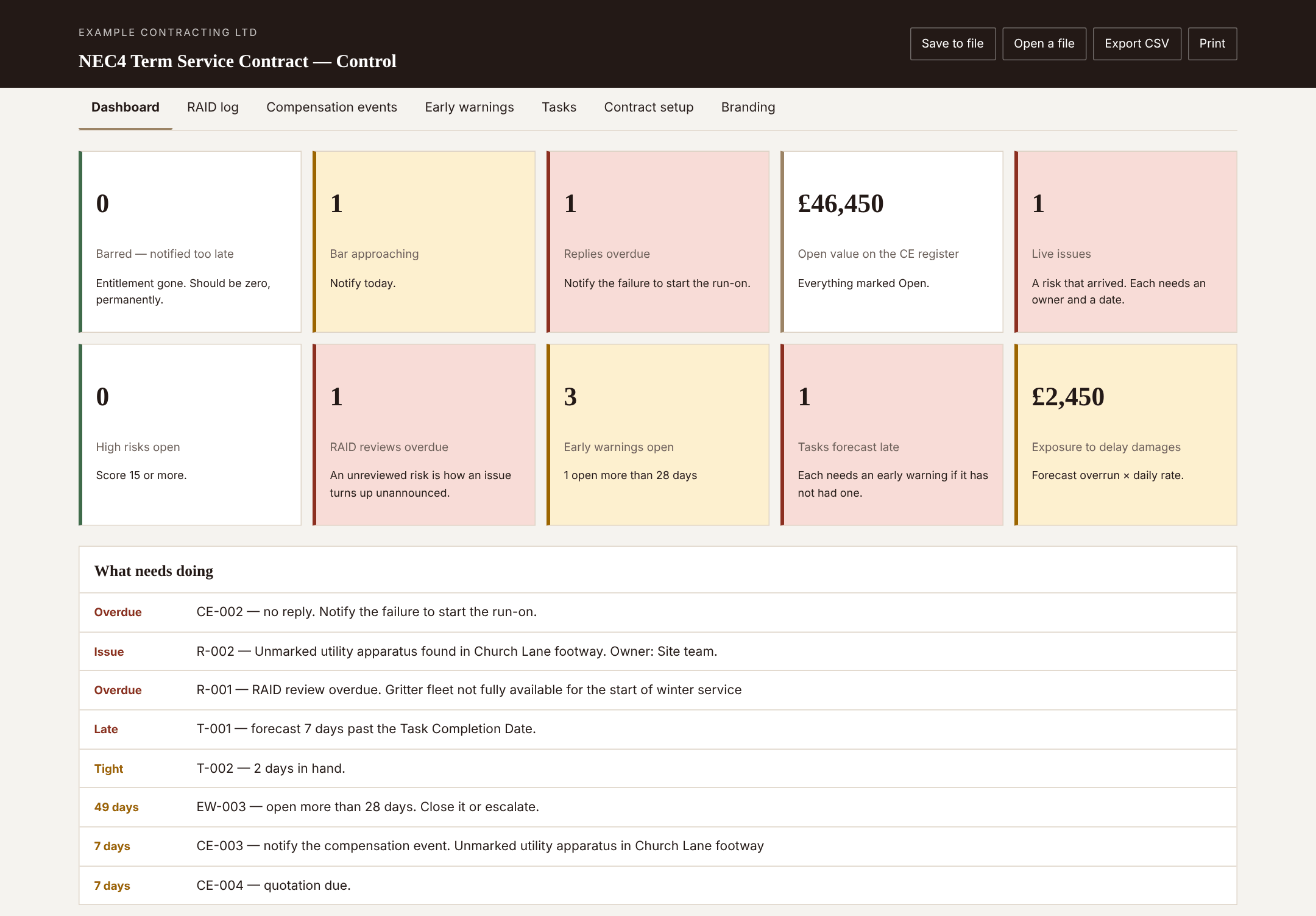
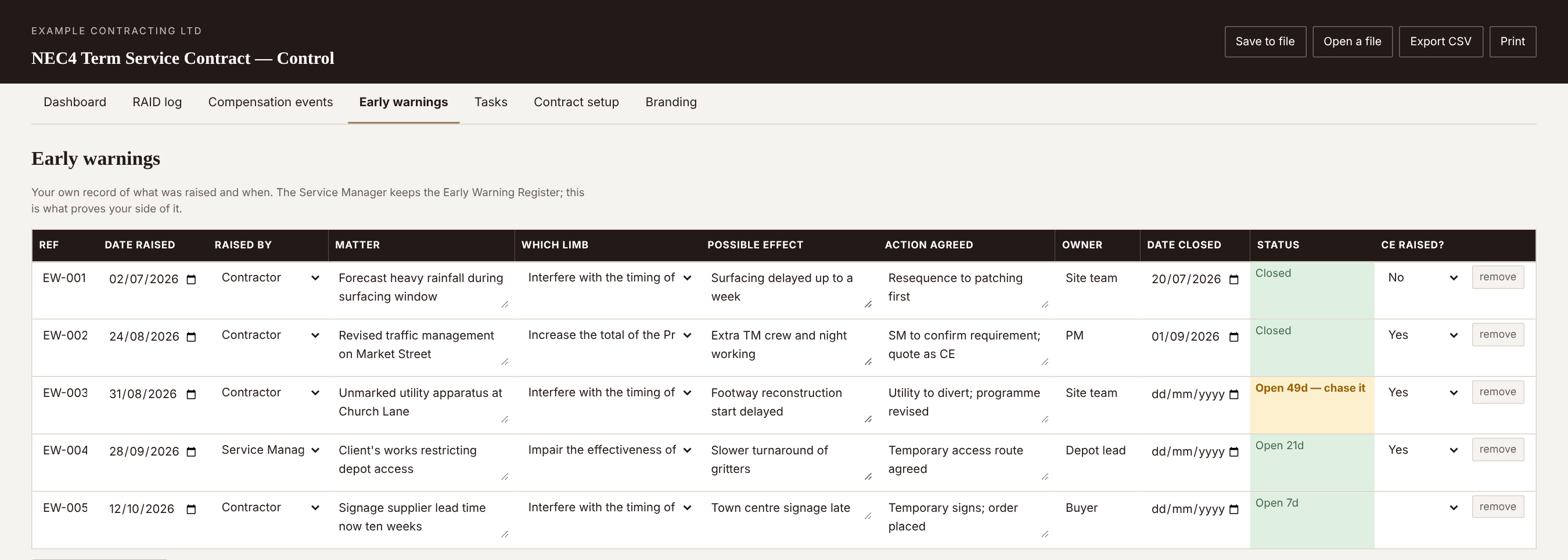
- Control dashboard with RAID log, CE register, early warning log and Tasks
- Automatic bar dates, reply clocks and deemed-acceptance run-ons
- White label it with your own name, logo and colours
- Excel fallback for locked-down machines
NEC4 Plan and Programme
£79 + VAT
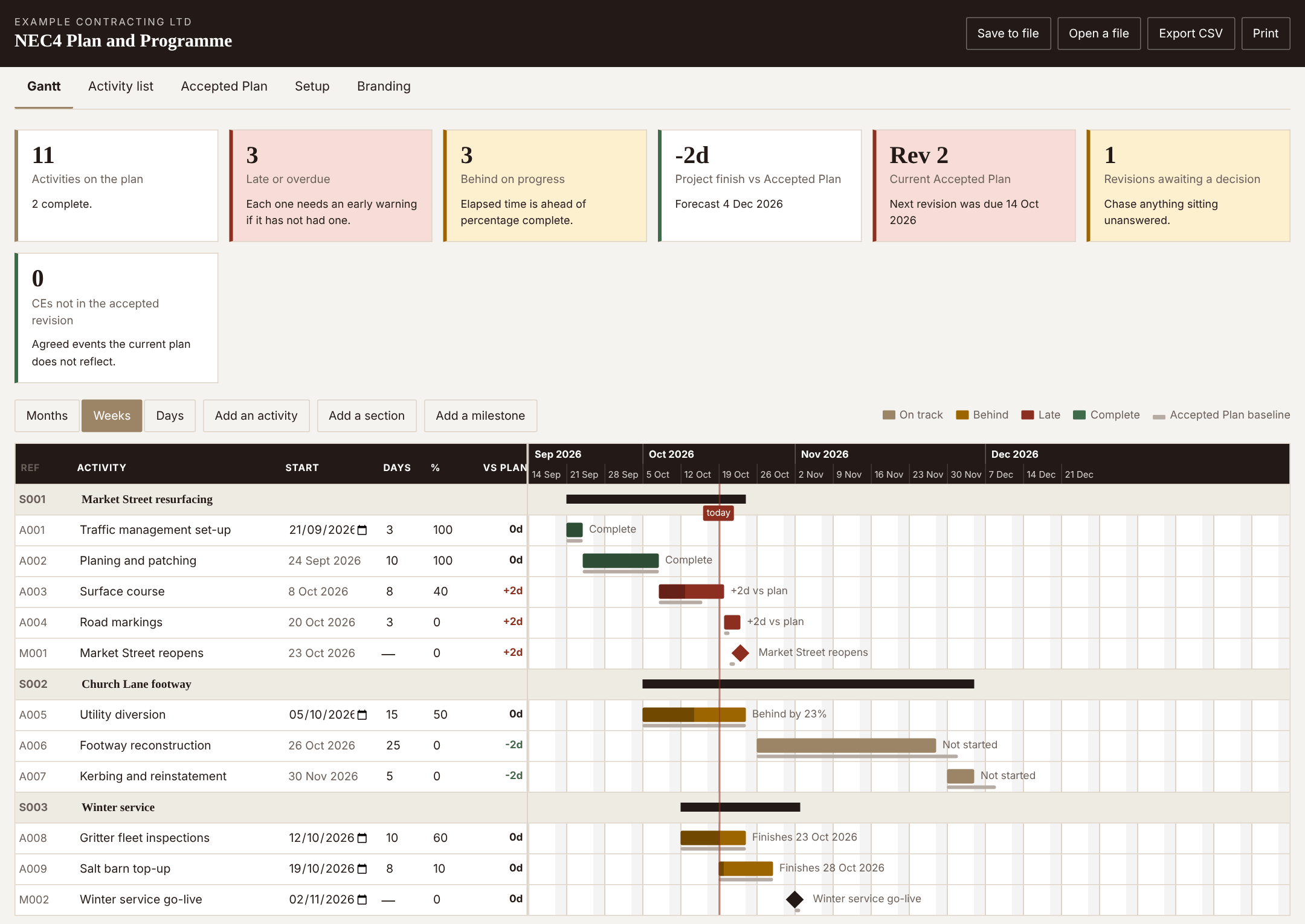
A Gantt chart built around the Accepted Plan, not around software you have to learn.
- Sections, activities, milestones, predecessors and working-day durations
- Baseline variance per activity — the gap that is your delay argument
- Accepted Plan register: what was submitted, what came back, what is due
- Flags agreed compensation events the accepted revision does not reflect
- Opens the toolkit's own file, so nothing is entered twice
Both, together
£179 + VAT
The toolkit and the plan tool, working off one file.
- Everything in both, for £29 less than buying them separately
- The compensation event cross-check only works when you have both
The files themselves
Administering an NEC4 Term Service Contract
The guide. What to set up in the first fortnight, how the eight-week bar works, and the monthly rhythm that keeps a term contract honest.
Control dashboard
RAID log, compensation events, early warnings and Tasks in one page, with your own branding. Open it in any browser — nothing is installed and nothing leaves your machine.
Control workbook (Excel fallback)
The same registers as a spreadsheet, for anyone whose employer will not let them open a local HTML file.
Plan and Programme
Gantt chart, baseline variance and the Accepted Plan register. Opens the same saved file as the dashboard, so nothing is typed twice.
Nothing you type into the tools is sent anywhere. There is no account, no server and no telemetry — which is also why nothing is saved for you. Press Save to file and keep that file wherever the rest of the contract records live.
Honest limits
This is not legal advice and it is not your contract. Every NEC4 contract is amended, and the Z clauses at the back are frequently where the risk you did not price is hiding. Where the guide and your contract disagree, your contract wins.
It follows the Term Service Contract. If you are on the Engineering and Construction Contract the mechanisms are close cousins, but the names and some periods differ. Do not assume a number carries across.
No part of the contract is reproduced. NEC4 contracts are published by Thomas Telford Ltd on behalf of the Institution of Civil Engineers. You will need your own copy; this tells you how to administer it, not what it says.
The periods are defaults, not gospel. Every date the tools calculate comes from a period you set on the Contract setup tab. Change them to match your Contract Data before you trust a single figure.
Questions before you buy
Email support@dcdandsons.com and it comes to Carl. That includes questions about administering the contract itself, not just about the files.